#building-in-public#nexjs#full-stack#ai#debrief
I Built a Full-Stack AI Chat App. Here's What Actually Happened.
Samuel EzekielApril 20, 2026 at 1:14 AM7 min read626 Views
EXPAND VIEW
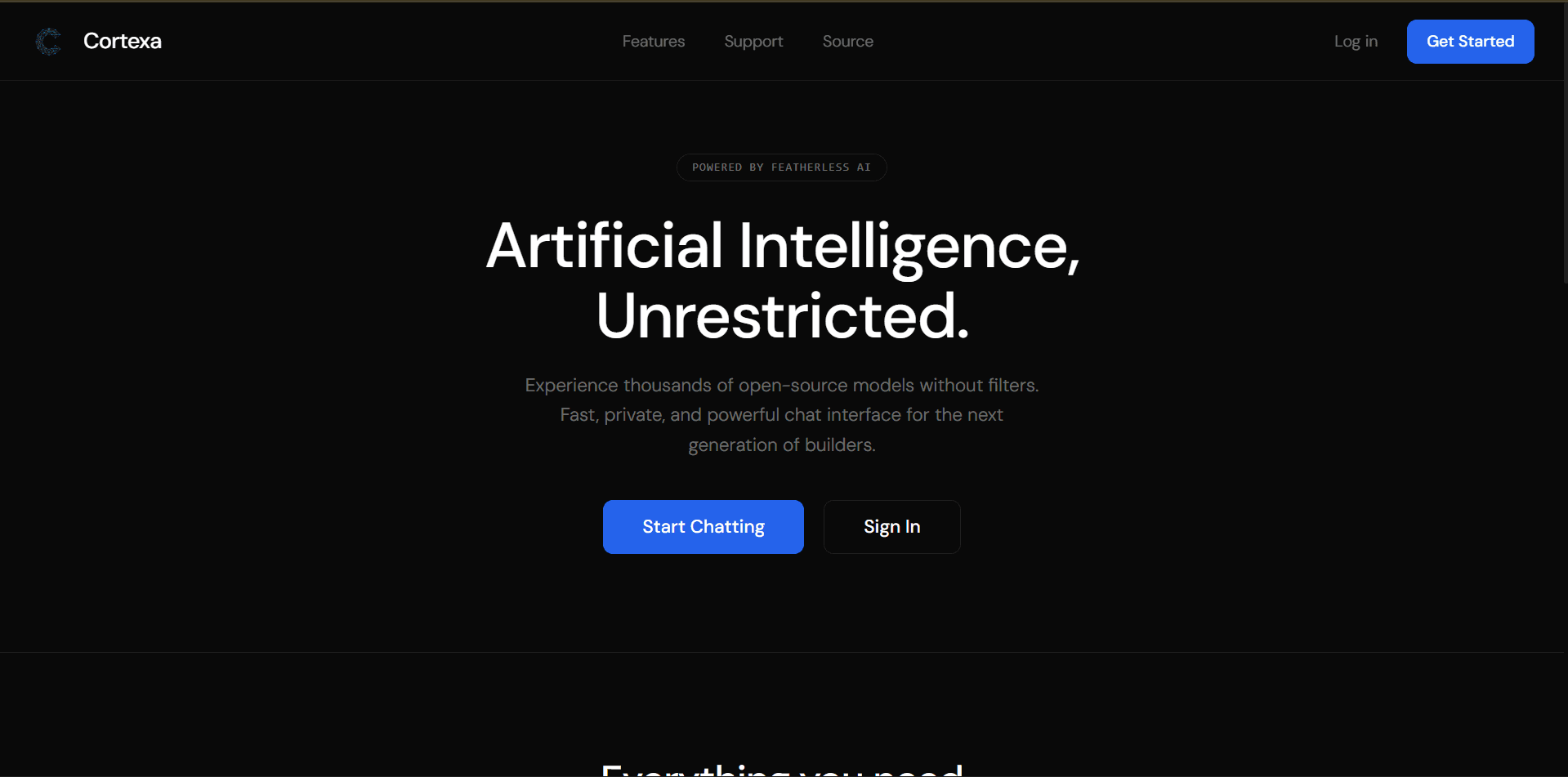
Few days ago I built Cortexa — a full-stack AI chat application with streaming responses, conversation history, model switching, image upload, voice input, and web search grounding. The kind of app that sounds like a weekend project and takes six times longer.
This is not a tutorial. This is a debrief. What I actually built, what broke, what I got wrong, and what I'd change if I started over today.
Cortexa is an AI chat platform built on:
The app lets you select from multiple open-source LLMs, maintain conversation history across sessions, upload images, speak prompts via voice, and optionally ground responses with live web search. It was built specifically for developers who want access to uncensored and abliterated models — useful for security research and adversarial testing.
On paper that's a lot of features. In practice it meant a lot of surface area for things to go wrong.
The first decision that paid off was implementing streaming from day one rather than adding it later. In Next.js 16, you do this with the ReadableStream API and server-sent events. Getting this wired up before the UI was even close to finished meant I never had to refactor around it.
Streaming is table stakes for AI chat now. Users feel the latency even when it's fast. A 1.5-second wait with no feedback feels broken. A 1.5-second wait with tokens appearing feels like thinking.
I chose Featherless AI specifically for two reasons, first cuz a friend gave me access to the premium version and because it gives access to open-source models — including abliterated and uncensored variants — through a unified API without requiring me to self-host anything. For the use case I was targeting (developers doing security research), this was the right call, not for illegal activities.
One model, one API format, swap the model ID in the request body. The abstraction made model selection a UI feature rather than an engineering problem(learnt about abstraction in my 2nd year -SEN201).
No comments yet - start the discussion
NextAuth.js with credentials provider. No OAuth rabbit hole, no magic email links. Just google login or email and password, bcrypt, done. Authentication needed to work reliably and stay out of my way. It did.
Early on, conversation history was stored as one flat document per conversation. This worked fine with five messages. It started creating visible read latency around fifty. The problem was I was loading the full conversation into memory on every request to maintain context.
The fix was pagination and context windowing — only send the last N messages as context to the LLM, store the rest in MongoDB but don't retrieve them unless the user scrolls back. Simple in theory. A few hours of refactoring in practice because I had not designed for it initially.
Lesson: Think about your data shape at 10x before you write your first query.
Vision-capable models are not uniform in what they accept. Image encoding, size limits, format support — these vary across models. I spent more time writing conditional logic for image handling than I did on the feature itself.
The right move would have been to gate image upload behind a "vision-compatible model" flag from the start, rather than building it generically and discovering the edge cases mid-flight.
The Web Speech API is inconsistent. Chrome handles it well. Firefox is patchy. Safari on iOS has its own opinions. I ended up with a messy set of fallbacks and a "best effort" disclaimer in the UI, which is not the same as a working feature.
I should have either owned the problem properly (custom audio pipeline, Whisper API) or dropped voice from the initial version entirely. Half-shipped features cost you trust.
When a model returns a non-streaming error mid-response — a rate limit, a context overflow, a malformed JSON from the provider — the user saw a broken UI. Crashed streams with no recovery path.
I added error boundaries late. They should have been in the architecture diagram before the first line of code.
I used a two-model workflow throughout this build:
Claude would produce a detailed, scoped prompt — what the function does, what it takes in, what it returns, what edge cases to handle, what not to touch. That prompt went into Gemini in Antigravity. The output came back as a diff I could review.
This worked better than asking either model to do everything. Claude is precise about constraints. Gemini in Antigravity is fast at filling in implementation. The bottleneck became my own review speed, which is the right bottleneck to have.
1. Design the data model first. Not the UI. Not the API routes. The data model. Every slow refactor I did traced back to a schema decision I made too quickly.
2. Ship a smaller version. Streaming responses plus conversation history is already a useful app. Model selection, image upload, voice, and web search grounding are four separate features. I built six features in parallel and had six things partially working for longer than I should have.
3. Abstract the LLM provider from day one. I made assumptions about Featherless AI's API surface that forced me to change code when I tested different models. A thin provider interface would have isolated that.
4. Write at least one integration test before assuming a feature works. "It works on my machine" is not a test. I caught several bugs only when demonstrating the app to someone else, which is a bad time to find bugs.
Building Cortexa taught me something I didn't expect: the gap between "I understand how this works" and "I can build a production-quality version of this" is larger than it looks.
I knew how streaming worked. I knew how auth worked. I knew how MongoDB worked. Combining them under time pressure, with real edge cases, while making product decisions simultaneously — that's a different skill. That's the skill you build by shipping, not by reading(lol, ya reading rn).
Cortexa isn't perfect. Some of the error handling is still rougher than I'd like. The voice feature is unreliable enough that I consider it decorative. But it ships, it works for its primary use case, and I understand it completely — every line of it.
That last part matters more than I thought it would.
To test Cortexa live, just visit cortexa.samkiel.dev
The full source isn't public yet — parts of it will be. If you're building something similar or have questions about the architecture, find me on X at @samkiel_dev.